Applying configuration changes will update restart all networking services and reconfigure the docker containers. This means there **will** be downtime while this process takes place.
You should ensure the configuration is valid otherwise there will be extended downtime for the end customer.
While updating to incorrect or invalid information for the network the collector is connected to will result in downtime for the client, you can always access OMU via the dedicated wireless network broadcasted by the collector ensuring you can correct any invalid configuration.
Sometimes you may need to change network connection configuration such as the IP address depending on the clients' requirements. You can do this by [accessing OMU](https://docs.nexuscare.co.uk/books/system-management/page/accessing-omu-onsite-management-utility "Accessing OMU (Onsite Management Utility)") while connected to the OnsiteConfig WiFi network and heading to Network Configuration. You will see the current configuration presented to you, enter the new information on this form. [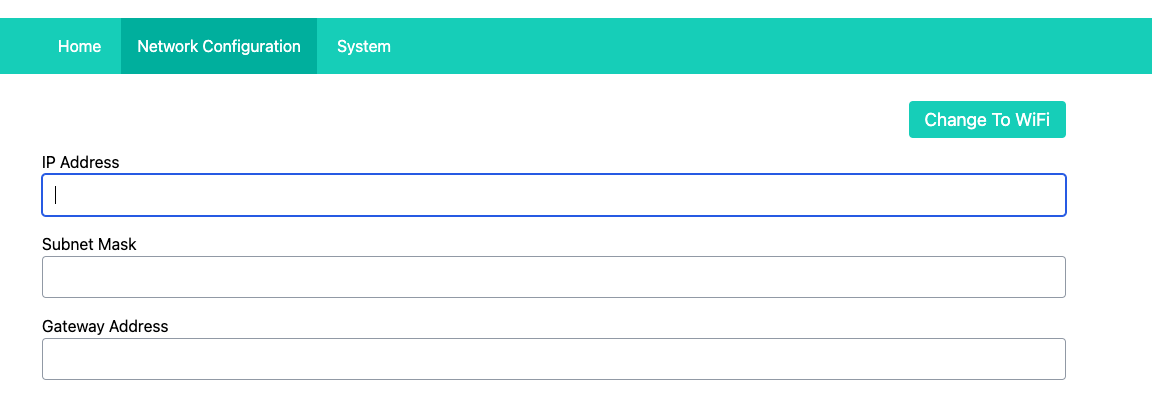](https://docs.nexuscare.co.uk/uploads/images/gallery/2024-01/OcUNj6WUM8XplzZw-screenshot-2024-01-02-at-13-34-03.png) Check over the information to ensure it is accurate and when ready click "Update" in the bottom right. This will apply the configuration immediately.