# Rooms
A **Room** serves as a designated space where **Callpoints** can be located individually or grouped together. Its primary function is to **collect alerts** and **organize** them, ensuring accurate reporting to care management software. By centralizing these alerts, the Room ensures that they are appropriately filed and associated with the correct resident.Let’s explore the three ways to create **Rooms**:
1. **Automatic Creation**: Rooms can be generated automatically, perhaps through a system process or predefined rules. This method ensures consistency and efficiency.
2. **Manual Creation**: If specific customization is needed, Rooms can be manually created. Caregivers or administrators can set up Rooms individually, tailoring them to unique requirements.
3. **CSV Upload**: For bulk creation or migration, Rooms can be imported via a **CSV (Comma-Separated Values)** file. This approach simplifies large-scale setup and ensures data accuracy.
Choose the method that best suits your needs, and let the Rooms facilitate efficient alert management!
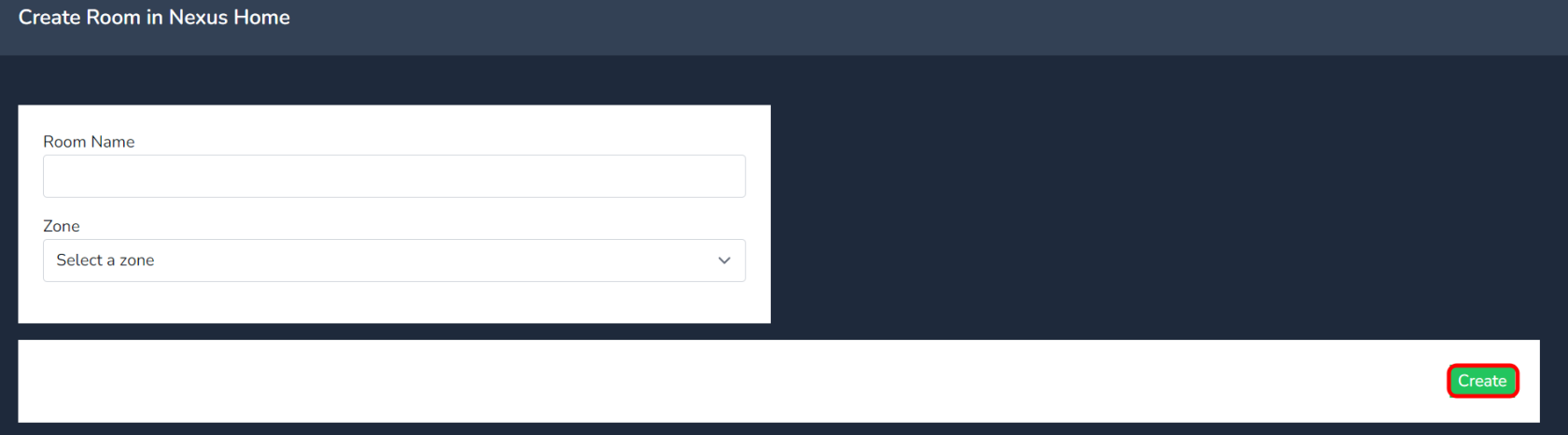
To **manually** create a room, follow these steps:
1. Click the **Create** button.
2. Add the room name and select the zone from the dropdown menu.
3. Click on **Create** to finalize the room creation.
[](https://docs.nexuscare.co.uk/uploads/images/gallery/2024-01/uD44JHDtYQkbWGiA-image.png)
[](https://docs.nexuscare.co.uk/uploads/images/gallery/2024-01/dkVsL0DmZhRHR3qm-image.png)
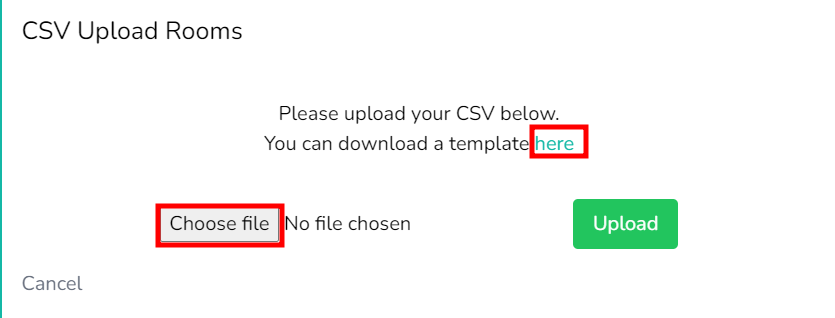
For **CSV upload** you can **download the template CSV file** by clicking on the link highlighted below.
[](https://docs.nexuscare.co.uk/uploads/images/gallery/2024-01/zA0uDBAfDCs8tr24-6dodhe7gfuzsvnw0-image.png)
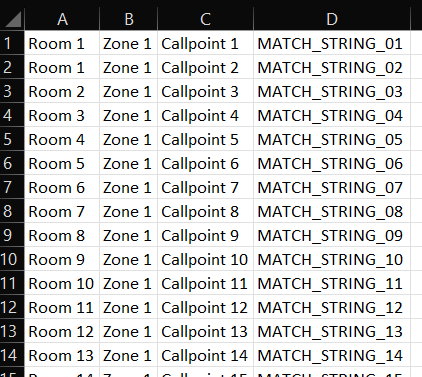
The CSV should include the following information:
- **Match String**: Must match the data in the Nursecall system.
- **Call Point**: Name of the Callpoint device.
- **Zone:** The Zone the Room will reisde in.
- **Room**: The room to which the Callpoint is assigned.
**Default Template Downloaded**
[](https://docs.nexuscare.co.uk/uploads/images/gallery/2024-02/761u4xQiCgbdEOUa-image.png)
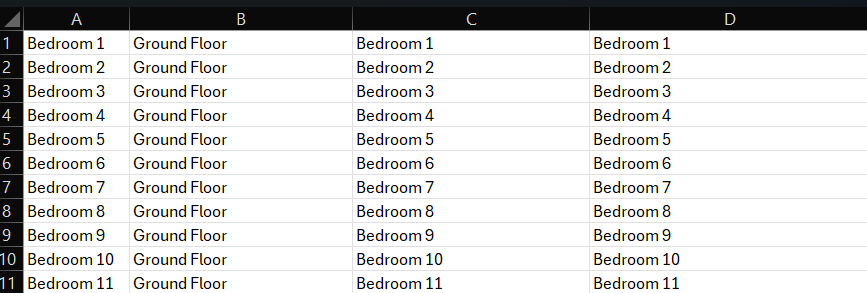
**Example Template to be uploaded**
As a minimum the **MATCH STRING** in Colum D must match the data value being outputted via the Nursecall system
[](https://docs.nexuscare.co.uk/uploads/images/gallery/2024-04/gxhJYesImlB4Ek66-image.png)
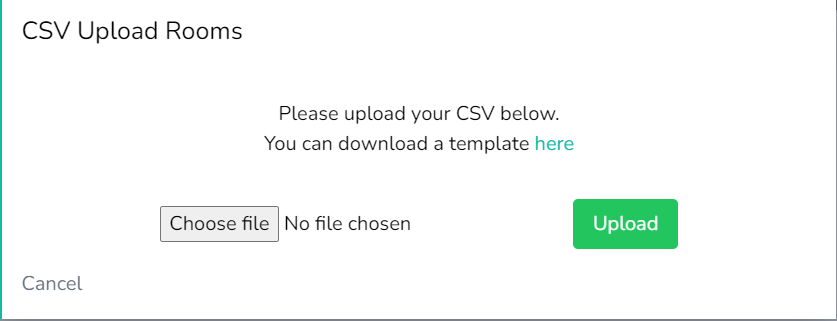
When uploading **do not press the upload button more than once.** This will create duplicated data.
Select the **Upload** button
[](https://docs.nexuscare.co.uk/uploads/images/gallery/2024-04/H5aYD1JYJRQ2DJsb-image.png)
Once Uploaded a **success message** will appear.
[](https://docs.nexuscare.co.uk/uploads/images/gallery/2024-04/R6zGW9pMkc7zSnqB-image.png)
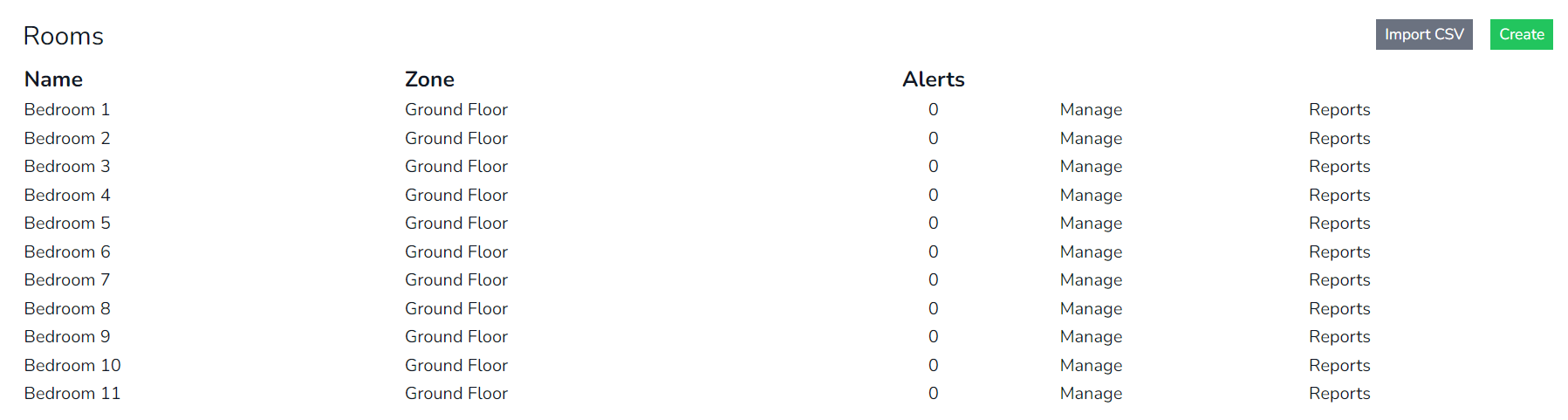
View the **Rooms Data Uploaded** in to the cloud site.
[](https://docs.nexuscare.co.uk/uploads/images/gallery/2024-04/TI3sUagzWQrNJNYf-image.png)
For further information on Room Management & how to group callpoints to rooms, select the link [here](https://docs.nexuscare.co.uk/books/homes/page/rooms-management "Room Management")