We are always seeking feedback on all of our software. If there is any functionality you feel is missing from OMU, please log a ticket with our team and we'll be more than happy to discuss this with you.
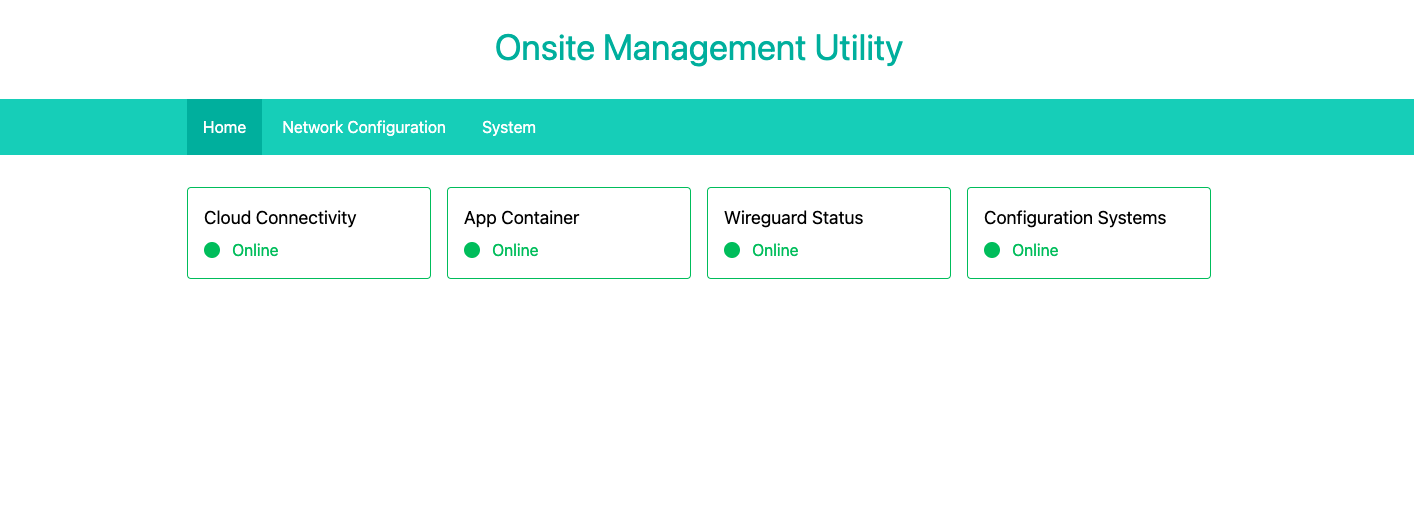
Built in to every collector is an Onsite Management Utility which allows for management of the underlying hardware of the device. It is the only way to perform some functions at this time such as reconfiguring the network interface. You can access this by connecting to the OnsiteConfig management network and browsing to [http://192.168.150.1/omu](http://192.168.150.1/omu). [](https://docs.nexuscare.co.uk/uploads/images/gallery/2024-01/LcA0R3wFVUhMiaB8-onsite-config-network-symbol.png) You will need the site's engineering code in order to access this utility and again to confirm most actions. [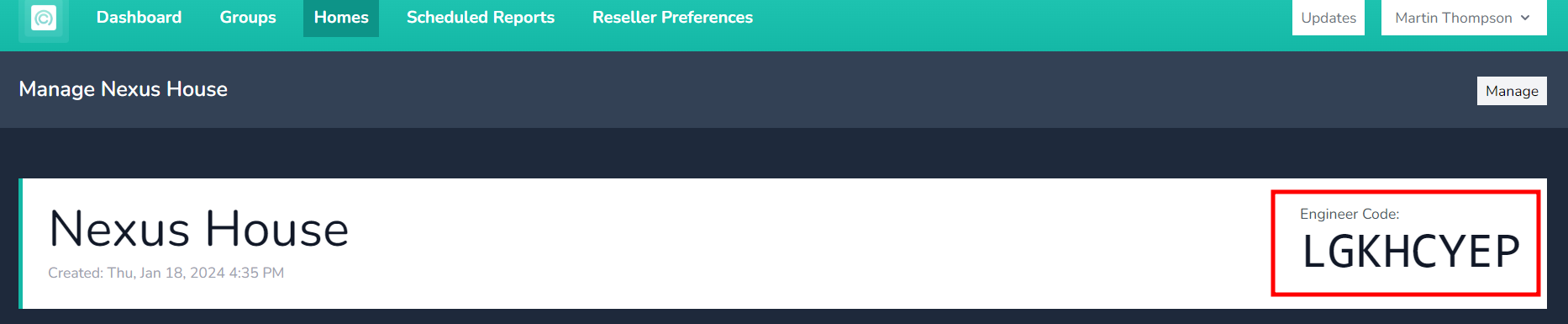](https://docs.nexuscare.co.uk/uploads/images/gallery/2024-01/S76cF8Ue7MA4Cjw8-image.png) Once logged in you will be presented with an initial dashboard showing the status of various systems and services, along with a menu to access other functions.If an item is highlighted in green as shown below it means this is normal operation. **Some services only need to run at certain times or in certain conditions (such as during maintenance), so normal operation may be for them to be offline**. If there is an error or something is abnormal, this will be marked with red highlighting with a red border. If its all green, its all good.
While maintenance actions are running some services may show as offline. For example, "App Containers" will show as offline during a container rebuild operation. This is normal and will correct once the operation is complete and the containers are started.
[](https://docs.nexuscare.co.uk/uploads/images/gallery/2024-01/csieH9EcZ5zWceiD-screenshot-2024-01-02-at-13-42-58.png) # How To Reboot SafelyRebooting will result in downtime for the customer, and is usually not necessary. This should only be done if advised by the development team or support.
Rebooting using other methods (such as removing and reconnecting power to the collector) may result in data loss.
When you wish to reboot the unit for any reason, you will need to connect to the OnsiteConfig WiFi network and [browse to OMU](https://docs.nexuscare.co.uk/books/system-management/page/accessing-omu-onsite-management-utility "Accessing OMU (Onsite Management Utility)"). From there, head to the system tab and click "Reboot now" [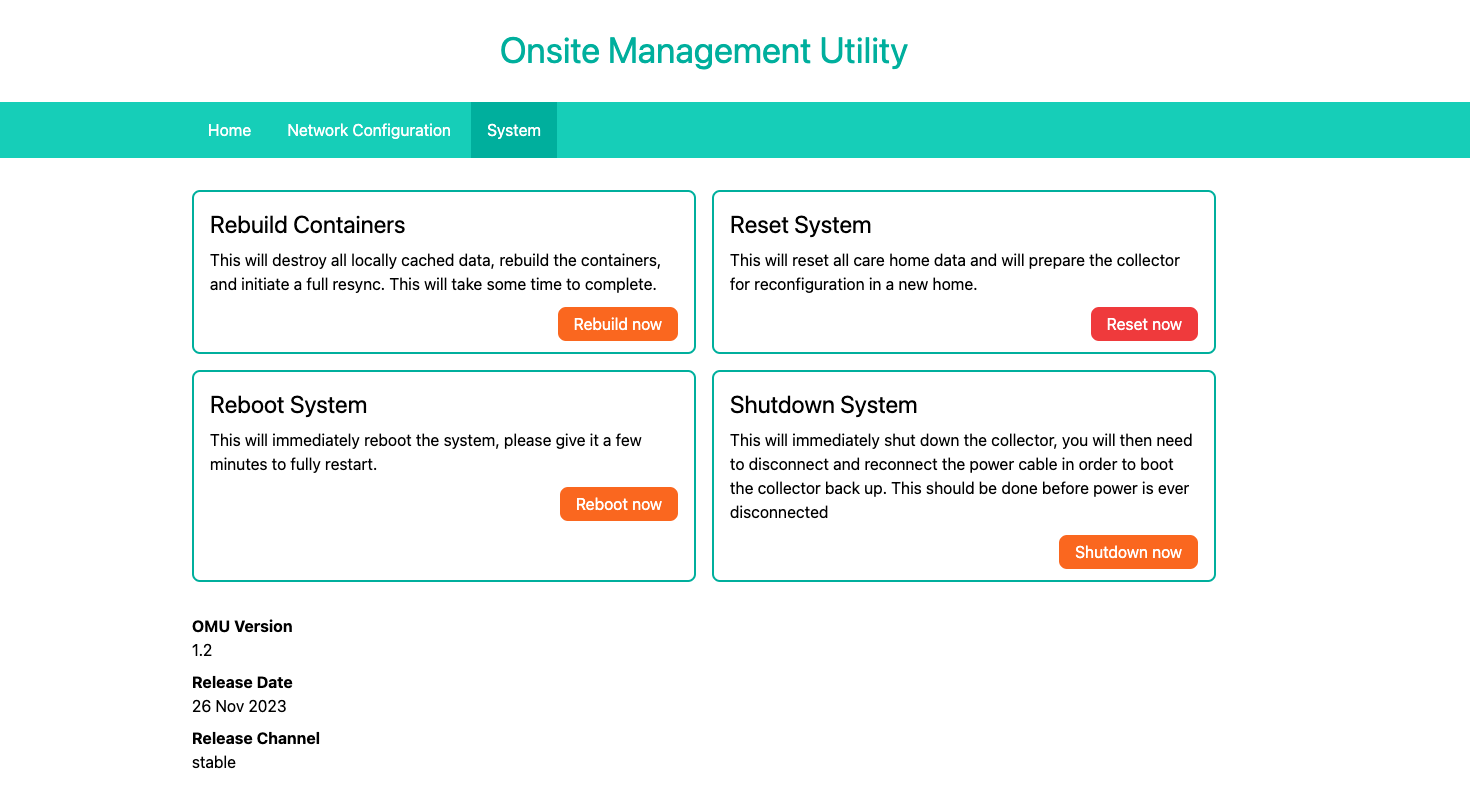](https://docs.nexuscare.co.uk/uploads/images/gallery/2024-01/wmtaosJsc68Eadle-screenshot-2024-01-02-at-13-37-07.png) After this you will be taken to a page to confirm the action by entering the engineer code for this site. Once this is done the unit will reboot shortly. [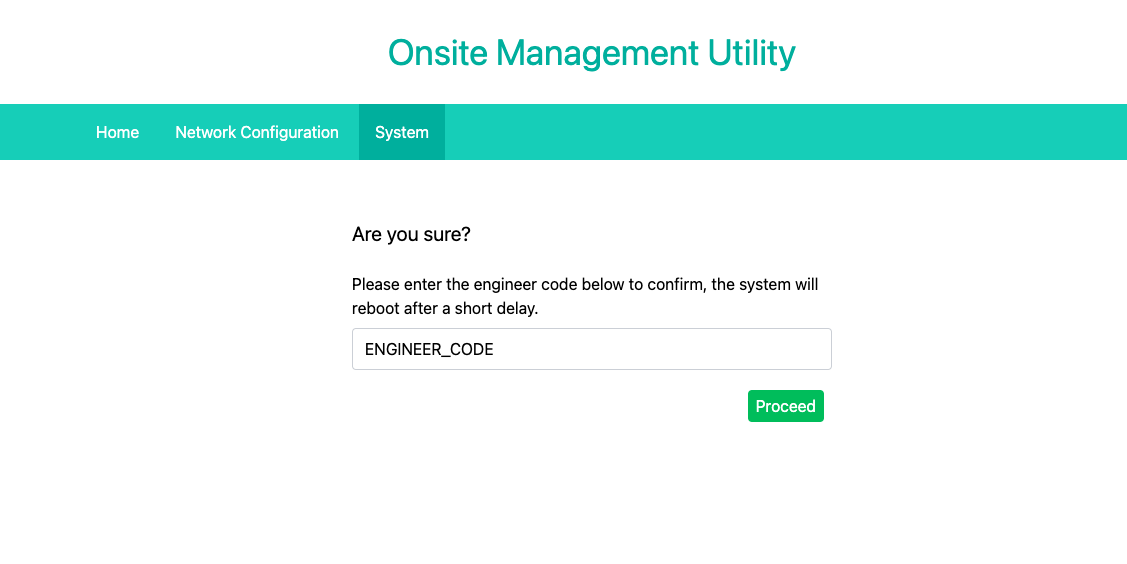](https://docs.nexuscare.co.uk/uploads/images/gallery/2024-01/vx8hqBZsq2qVRSd3-screenshot-2024-01-02-at-13-37-44.png) # How To Shutdown SafelyShutting the collector down will result in all functionality ceasing.
Shutting down without using the proper function within OMU will lead to data loss.
When you wish to shut down the unit for any reason (such as to move it within the care home), you will need to connect to the OnsiteConfig WiFi network and [browse to OMU](https://docs.nexuscare.co.uk/books/system-management/page/accessing-omu-onsite-management-utility "Accessing OMU (Onsite Management Utility)"). From there, head to the system tab and click "Shutdown now" [](https://docs.nexuscare.co.uk/uploads/images/gallery/2024-01/wmtaosJsc68Eadle-screenshot-2024-01-02-at-13-37-07.png) After this you will be taken to a page to confirm the action by entering the engineer code for this site. Once this is done the unit will shutdown shortly. To boot the collector back up again, disconnect and reconnect the power supply. The collector will automatically boot back up. [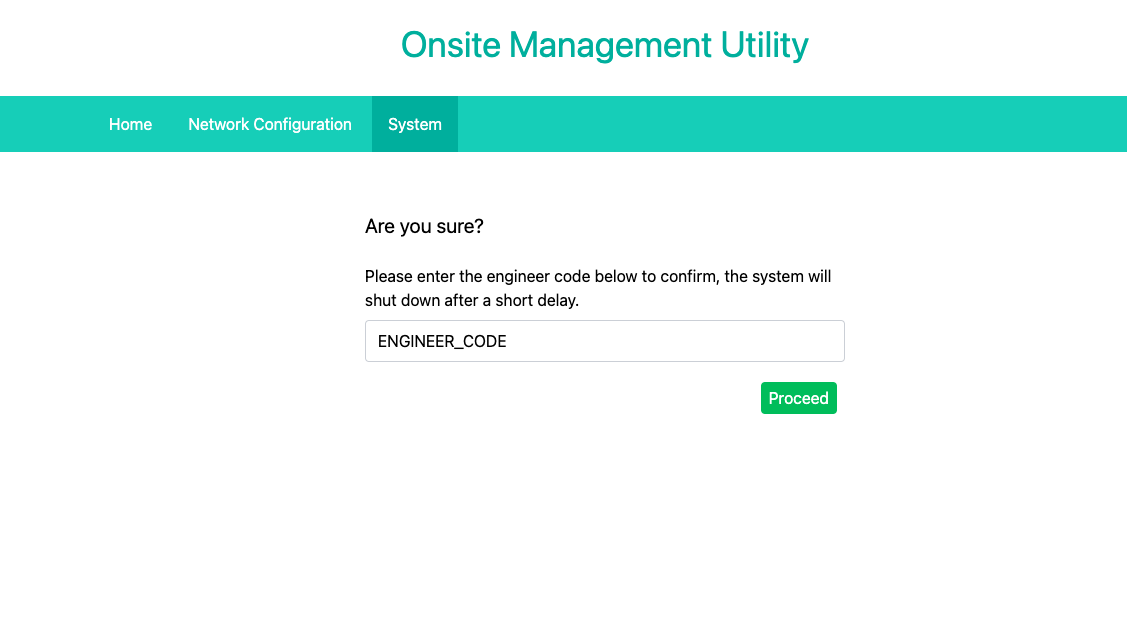](https://docs.nexuscare.co.uk/uploads/images/gallery/2024-01/tFegNzf5oIOtfNWX-screenshot-2024-01-02-at-13-44-41.png) # Rebuild Onsite DataRebuilding the containers will destroy all existing data local to the device, ensure all app users are logged out if possible. If not, you will need to clear the app cache and data from within the Android settings app.
This process will take a few minutes to complete and the collector will be unusable by the end customer while this takes place.
Data stored in the cloud will be unaffected. Configuration data such as rooms, users, zones etc will be re-synced automatically.
When you wish to rebuild all data stored the unit for any reason (if you suspect corruption that isn't being automatically repaired as expected), you will need to connect to the OnsiteConfig WiFi network and [browse to OMU](https://docs.nexuscare.co.uk/books/system-management/page/accessing-omu-onsite-management-utility "Accessing OMU (Onsite Management Utility)"). From there, head to the system tab and click "Rebuild now" [](https://docs.nexuscare.co.uk/uploads/images/gallery/2024-01/wmtaosJsc68Eadle-screenshot-2024-01-02-at-13-37-07.png) After this you will be taken to a page to confirm the action by entering the engineer code for this site. Once this is done the unit will begin the process. This will take some time. [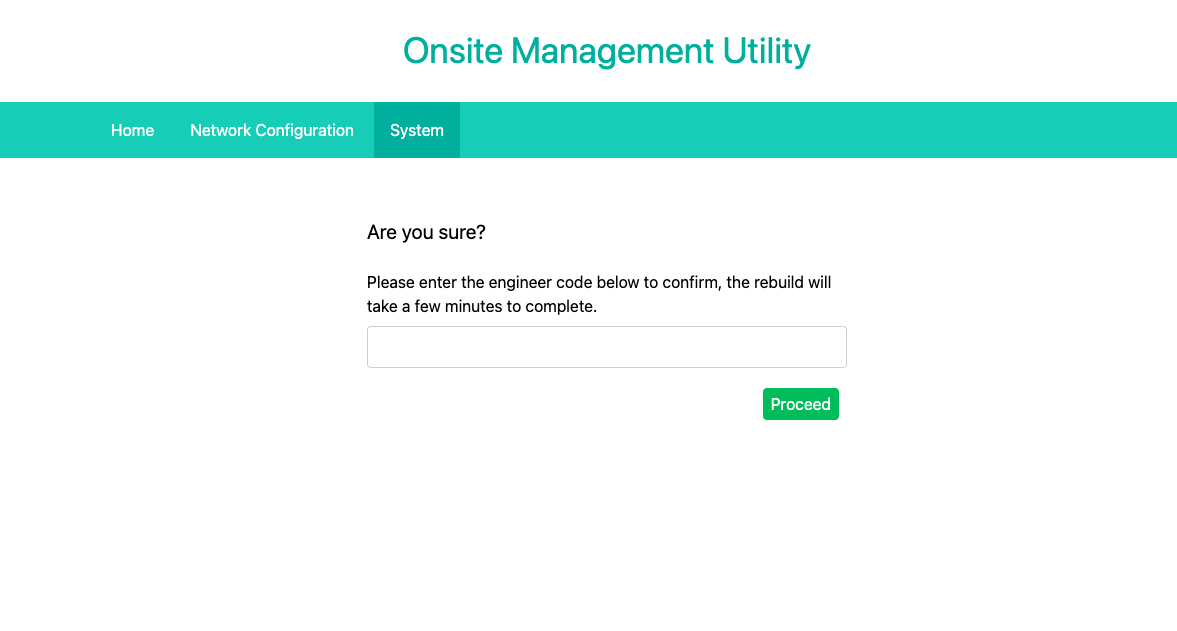](https://docs.nexuscare.co.uk/uploads/images/gallery/2024-01/N6sMAfcQDDldQ3fZ-screenshot-2024-01-02-at-14-00-05.png) # Resetting A CollectorResetting a collector will completely disable it and restore it to factory defaults ready to be reconfigured. This will make it completely inoperable at an existing home.
It is not normal to have to do this step in day to day operation and you should only do this after being advised by support or our development team.
If you wish to reset a collector, as maybe the client has opted to not renew the service or some other reason, you must first connect to the OnsiteConfig network and [login to OMU.](https://docs.nexuscare.co.uk/books/system-management/page/accessing-omu-onsite-management-utility "Accessing OMU (Onsite Management Utility)") Once there, head to the System tab and click the "Reset now" button. You will be asked to type the engineer code in to confirm this step. The page changes design to mark the significance of this step.There is no going back after this step. The system will need to be configured as a brand new collector for the same site if you do this by accident. Any data not yet synced to cloud will be permanently lost.
To reiterate, it is not normal to have to do this step in day to day operation and you should only do this after being advised by support or our development team.
[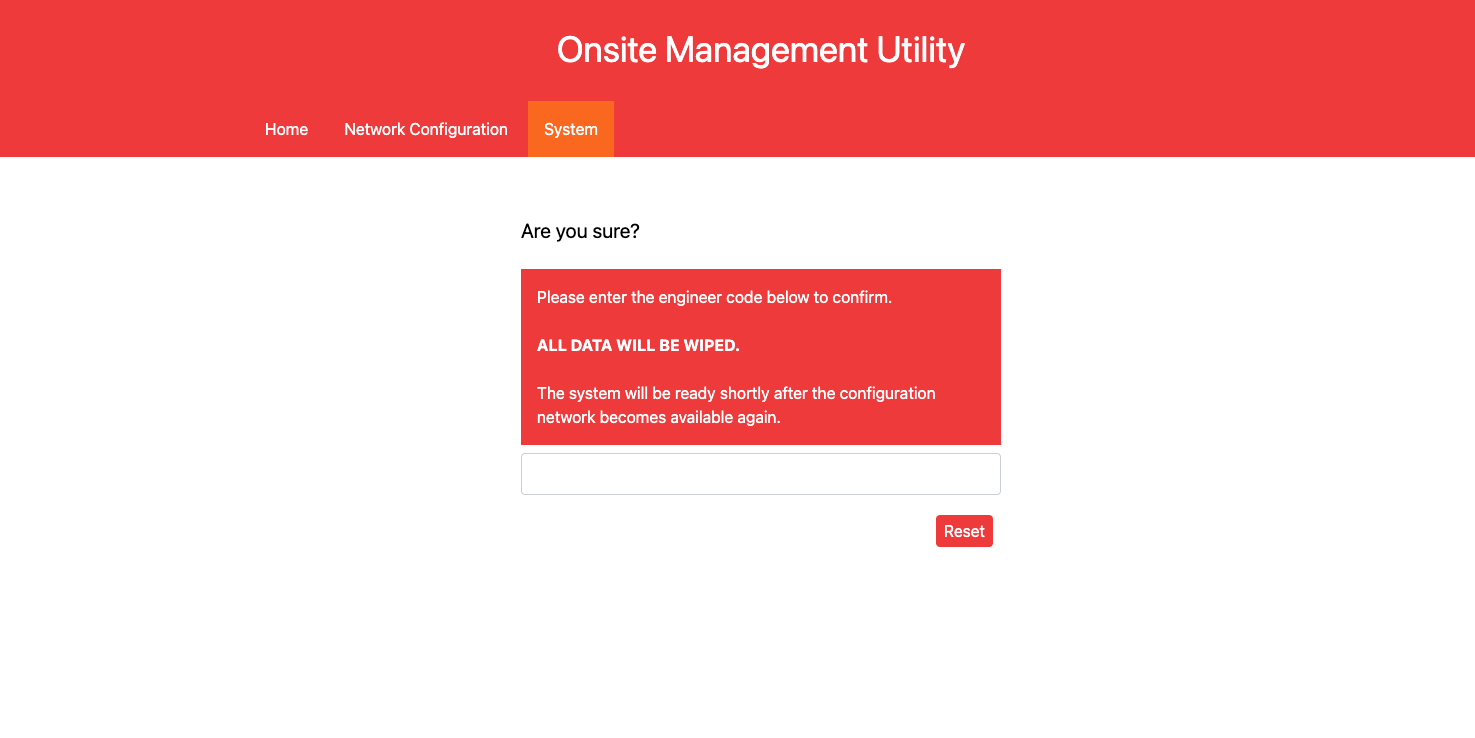](https://docs.nexuscare.co.uk/uploads/images/gallery/2024-01/SwrHxBgeCWxDTF8f-screenshot-2024-01-02-at-14-57-35.png) Shortly after confirming the engineer code and clicking "Reset" the system will restore to factory defaults, disassociate with the cloud platform and destroy all data cached on the collector. **There is no going back**.