Creating a Collector Device
Collectors play a crucial role in integrating on-site systems within a care facility. Here are the key points about collectors:
- Purpose: Collectors are responsible for gathering data and alerts from various on-site systems.
- Integration: Currently, integrations with on-site systems are achieved via an RS232/serial output.
- Configuration: Familiarity with configuring the on-site system for data output is essential.
By effectively setting up collectors, you ensure seamless communication, accurate reporting, and efficient management of critical information within the care environment.
To manually create a Collector for your home, follow these steps:
-
In the
homesHomestabtab,selectclick on the Manage button at the top right of the page.
-
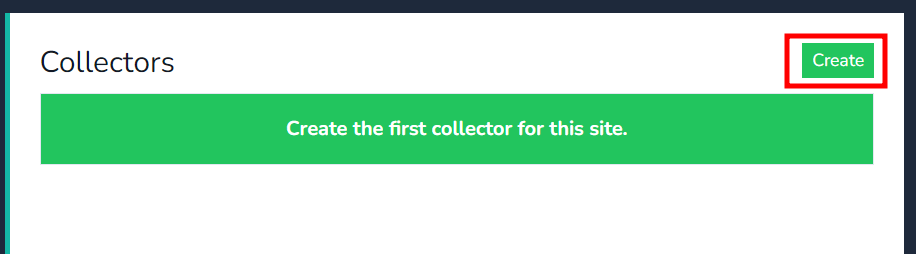
NextNext, click on thecreateCreatebutton.button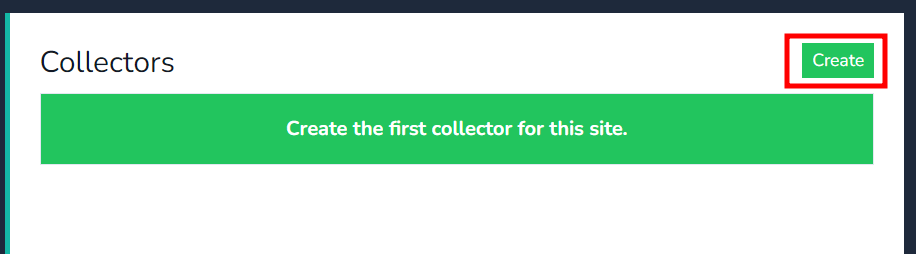
-
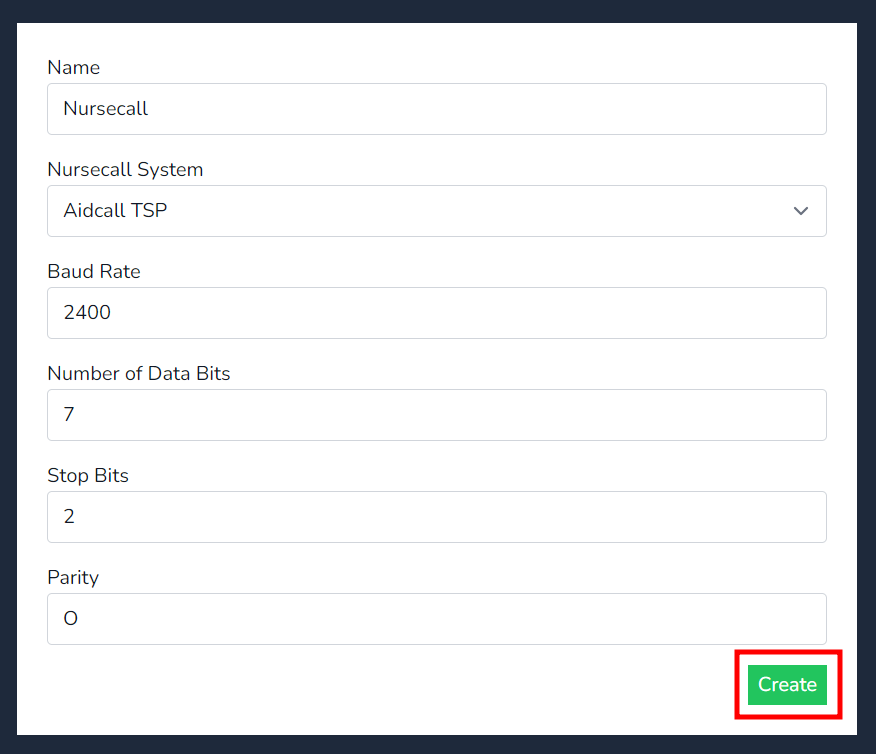
InsertFill in the necessary details:- Name of the
device,Device:selectInsert a descriptive name for the collector. - Nursecall
systemSystem Type: Select the appropriate typeandforinsertyour system. - Baud Rate Parameters: Ensure these match the
BaudsettingsrateofparametersyourthatNursecallmatchsystem.
- Name of the
-
Click on Create to
the Nursecall system, then press onfinalize thecreatecollectorbutton.setup.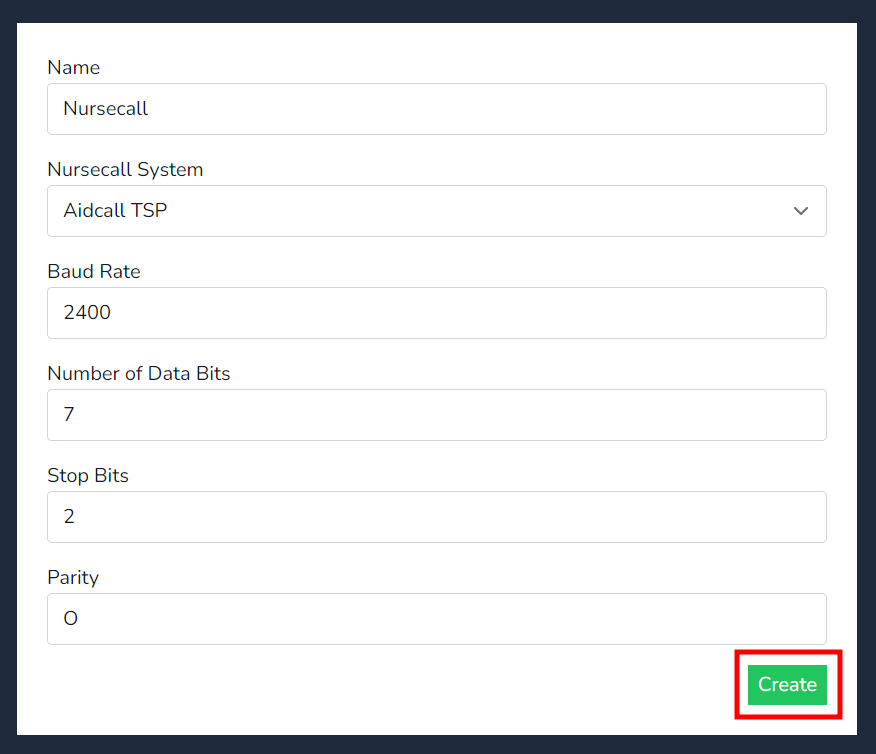
-
Once
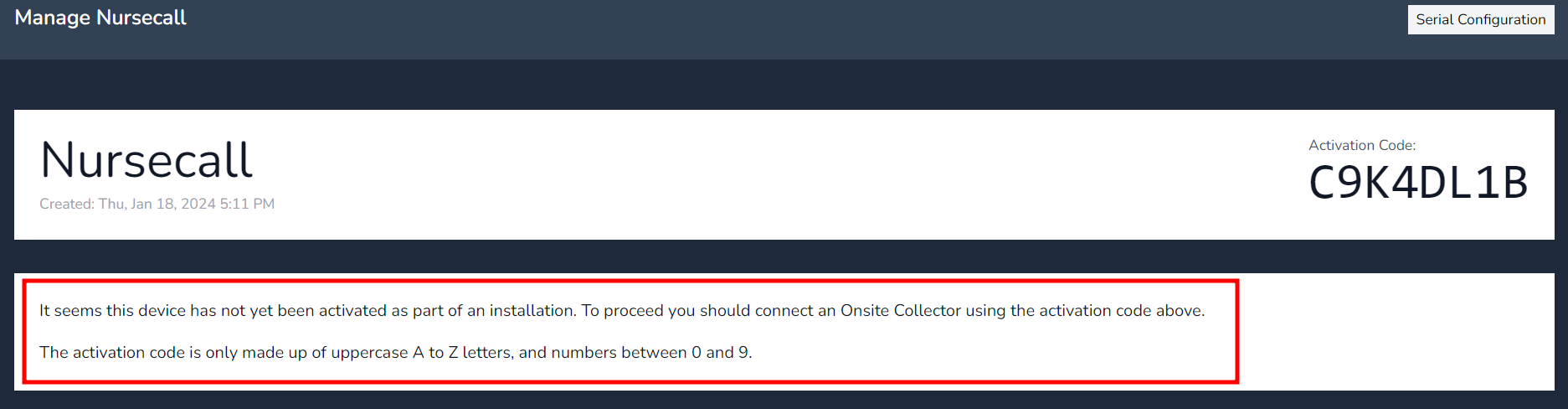
createdcreated, you’ll receive a Device Authentication code. You’ll need this when onboarding the collector. -
Note that initially, the collector will
generateshow as not onboarded/activated. However, once the collector is onboarded, the Device Authenticationcode to insert when on-boarding the collector.Take note of the message below, it inform you the collector has not been on-boarded/activated.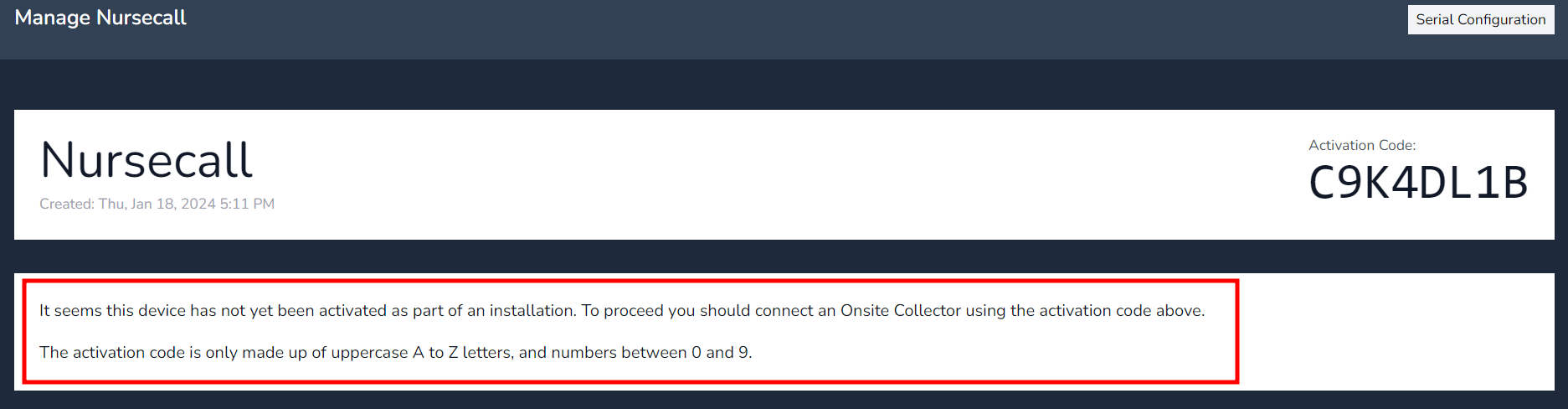
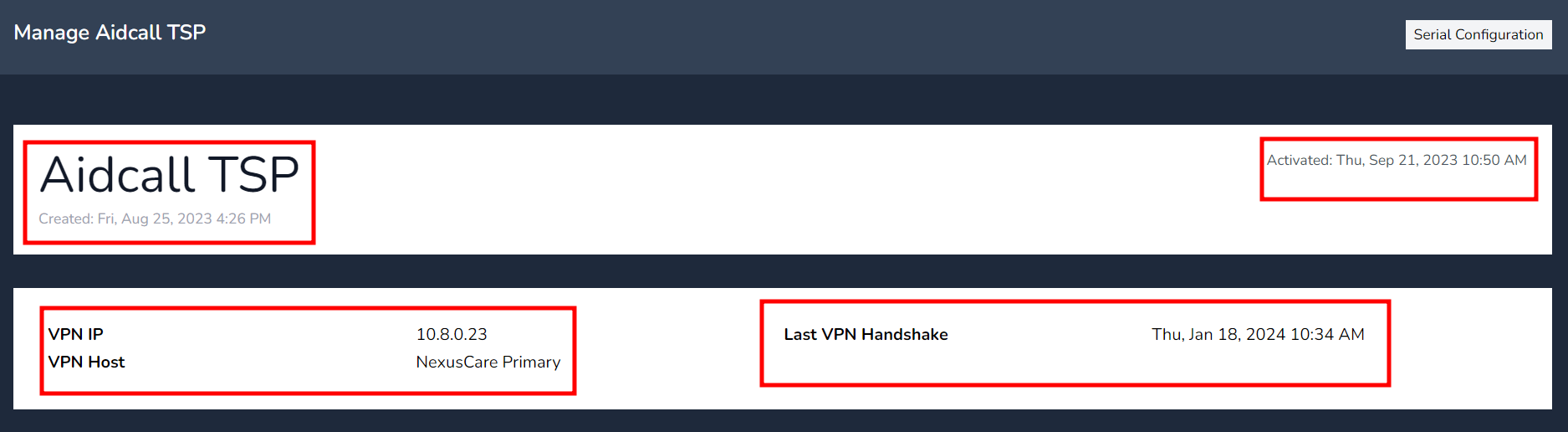
Note - Once the collector has on-boarded the device Authenticationwilldisappeardisappear, and thebelowscreen willnowdisplayshowrelevantdata as per the below.data:Created:- Created: The date and time
& Datethe collector was created. - Activated: The time the on-site collector was first activated with the cloud site.
- VPN
IP:IP: The IP address for the internal VPNnetwork,networknote this is(not the on-sitecollectorscollector’s IPaddress.address). - Last VPN
Handshake:Handshake: Thelastmost recent time the on-site collectorcalledcommunicatedhome.with the cloud.
Activated: - Created: The date and time