Reports
Overview: The system offers a comprehensive overview of nursecall activity within care homes. Users can generate system-wide reports, zone-specific insights, room-level data, and user engagement summaries. By applying consistent filters across all report pages, care providers can analyse response times, trends, and performance metrics. Additionally, reports can be scheduled for automatic email delivery on a daily, weekly, monthly, or annual basis. The platform includes real-time alerts, ensuring immediate visibility and responsiveness. With real-time monitoring, care providers can stay informed and address urgent situations promptly.
The report is structured hierarchically, starting from the highest level which is System, followed by Zone, Rooms, and Users.
Reports are currently spread across the home management page & site reports.
-
System Report:
- The top-level overview provides information about the entire
- View system report by selecting the Site Report tab.
- It serves as a bird’s-eye view of the entire report flow.
-
Zone Report:
- Accessed under the Home Management Page.
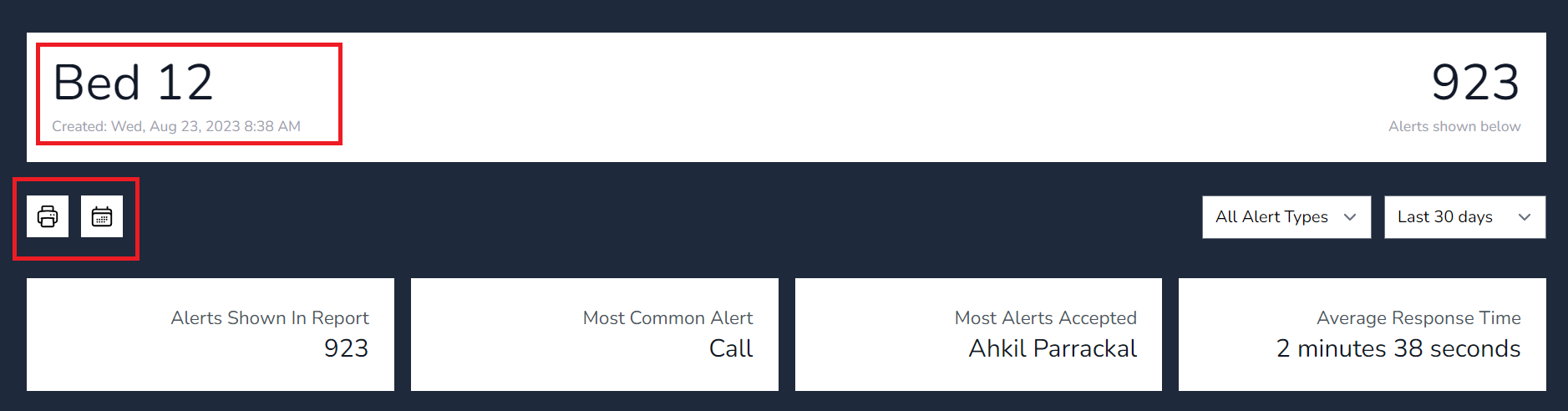
- View the total amount of alerts each zone has received.
- Filter by Alert Type & Custom Dates
-
Room Report:
- Further down the hierarchy, we encounter the room-level report.
- Rooms correspond to physical locations within zone.
- Accessed via the Home Management tab or Site report
- Under the home management tab, homes are sorted in name Order
- Under Site Reports Rooms are
-
User Report:
- Finally, at the lowest level, we have the user report.
- This focuses on individual users, their activities, and interactions within the network.
- Metrics may include user behavior, access patterns, and security-related events.
-
Accessing the System Report:
- From the home management page, select the view home report tile.
- Alternatively, navigate to the site report tab if available.
-
System Report Overview:
- The first page of the system report provides an overview of all alert data in the home.
- The first page of the system report provides an overview of all alert data in the home.
-
Filtering Data:
-
- Change the filters on the page to show the calculated data for the filter set for the whole home. report.
- Adjust parameters such as date range and Alert Keyword type
- The system will then calculate and display data specific to the selected filters.
-
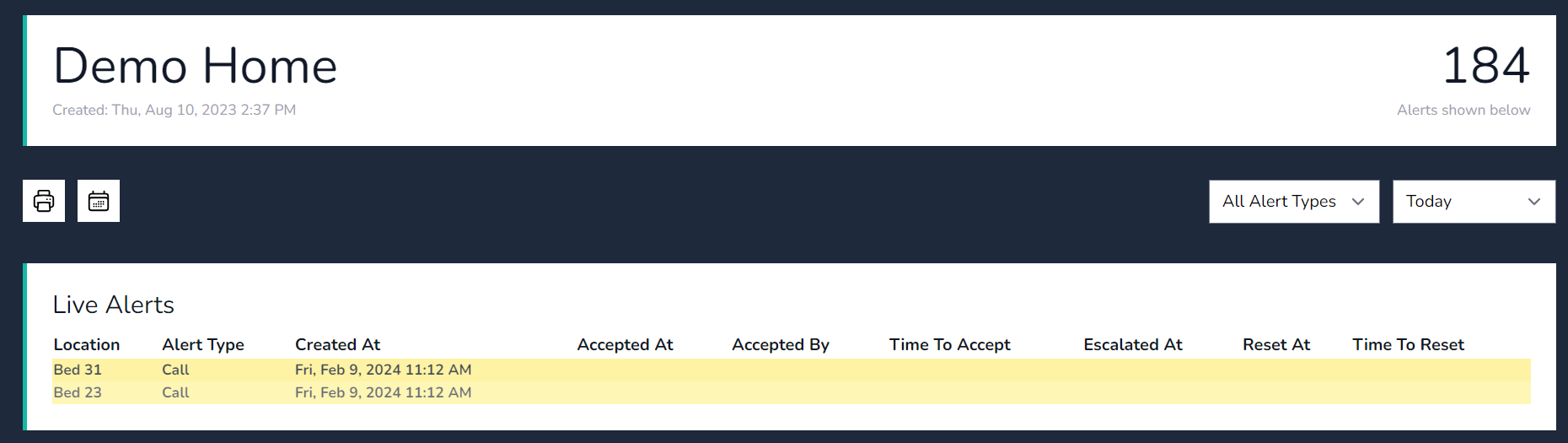
Live Alerts show in real time on the platform, the call is highlighted with a bold colour to indicate a call is active.
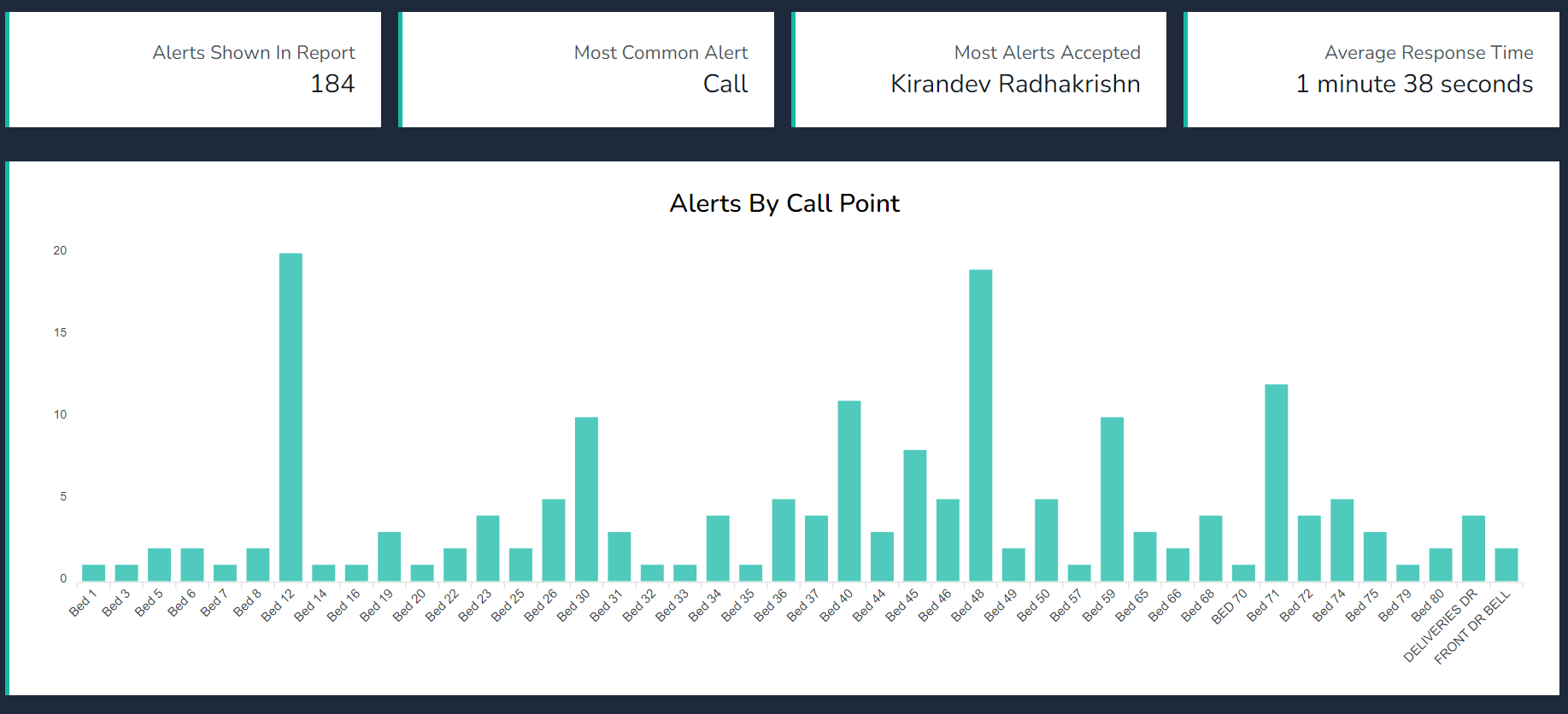
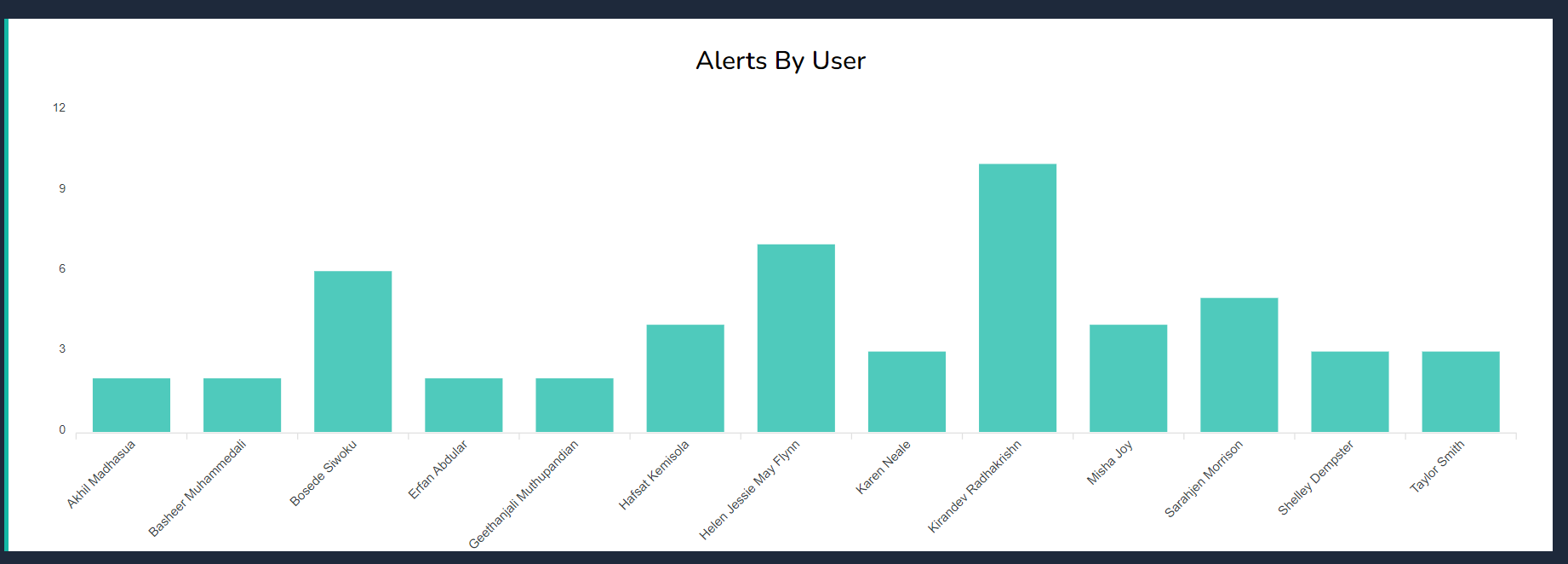
View graphical information by Callpoints or Users.
s
View individual rooms reports, print to PDF or scheduled a report.