SLA KPIs
In the platform, you can create a comprehensive SLA & KPI Dashboard to efficiently monitor alerts, set metrics, and apply thresholds. Let’s break down the steps:
-
SLA & KPI Dashboard Creation:
- Navigate to the Nexus Care home and view SLA dashboard.
- Add widgets for alerts, breached SLAs, and KPI metrics.
- Navigate to the Nexus Care home and view SLA dashboard.
-
Viewing Breached Alerts:
- The dashboard should display a summary of all active alerts.
- Alerts that have breached predefined thresholds will be prominently highlighted.
-
Creating Metrics and Thresholds:
- Define the key performance indicators (KPIs) relevant to your home.
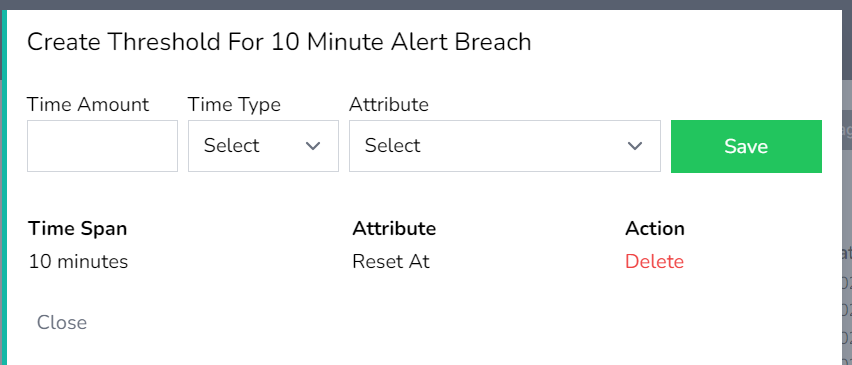
- Set thresholds for each metric.
-
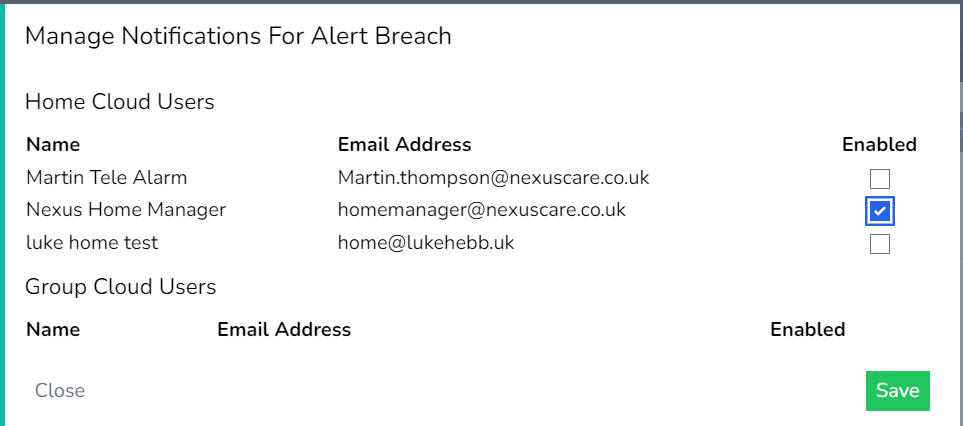
Email Notifications:
- Configure email notifications for breached thresholds.
- Receive real-time alerts via email when thresholds are breached.
- Configure email notifications for breached thresholds.
-
Exporting Breach Data:
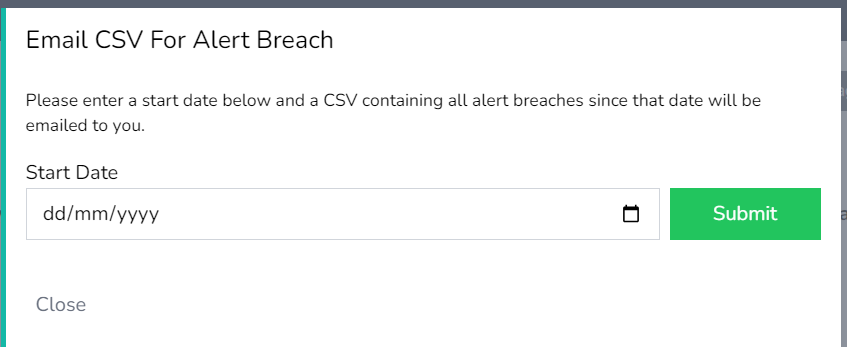
- To export a list of breached alerts:
- Choose the desired date range (e.g., from a specific date to the present).
- Export the data in CSV format.
- The exported file will contain details such as timestamp, alert type & response times
- To export a list of breached alerts:
Dashboard Tile View
1. Select View SLA Dashboard Tile

2. Add new KPI Metric

3. Add Metric name and select an Alert Type
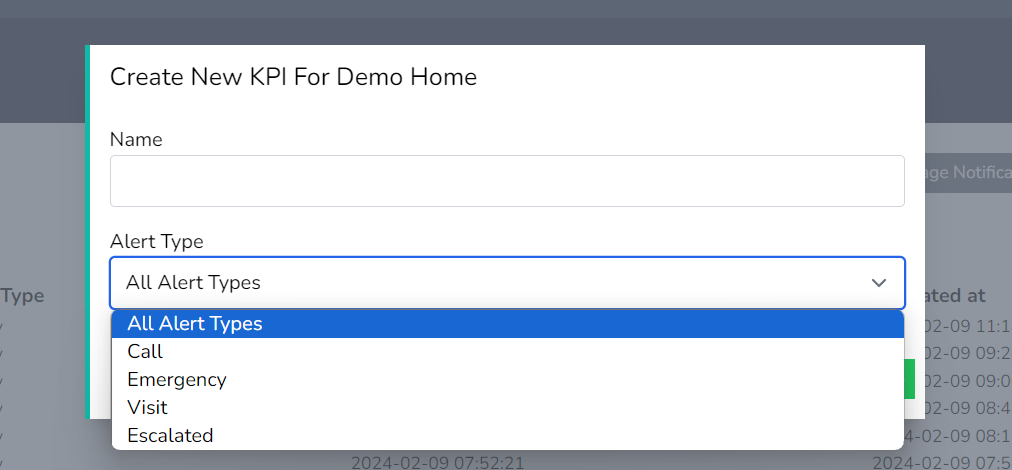
4. Select Manage Threshold and configure thresholds as required. Accepted at is for the accept on the mobile app threshold & the reset at is for the reset at callpoint threshold.
5. Email data for the threshold from any start date in time. Select the start date and press submit. An email with a link to download will follow.
6. Notifications can be sent if a threshold has been breached and users need to be notified of the breach. Enable the user(s) for the email notification & press save