Accessing OMU (Onsite Management Utility)
We are always seeking feedback on all of our software. If there is any functionality you feel is missing from OMU, please log a ticket with our team and we'll be more than happy to discuss this with you.
Built in to every collector is an Onsite Management Utility which allows for management of the underlying hardware of the device. It is the only way to perform some functions at this time such as reconfiguring the network interface.
You can access this by connecting to the OnsiteConfig management network and browsing to http://192.168.150.1/omu.

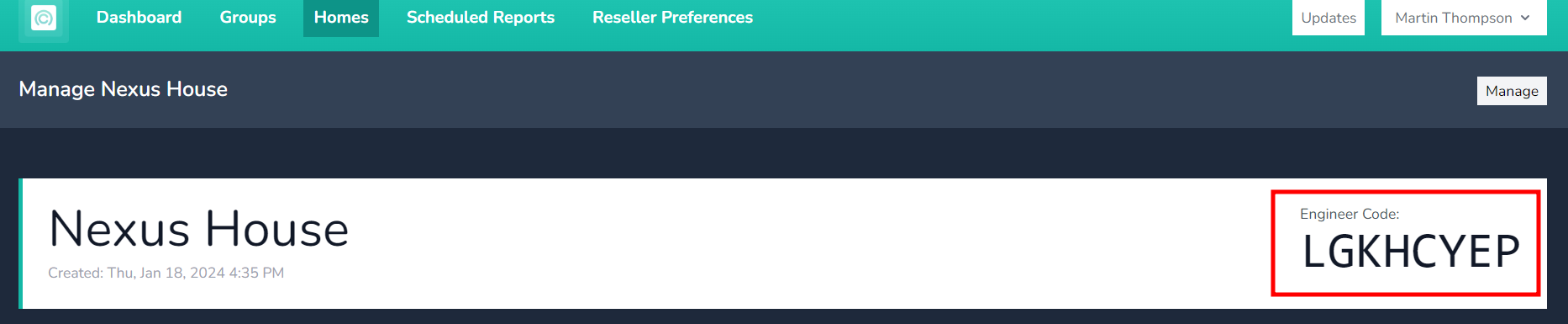
You will need the site's engineering code in order to access this utility and again to confirm most actions.
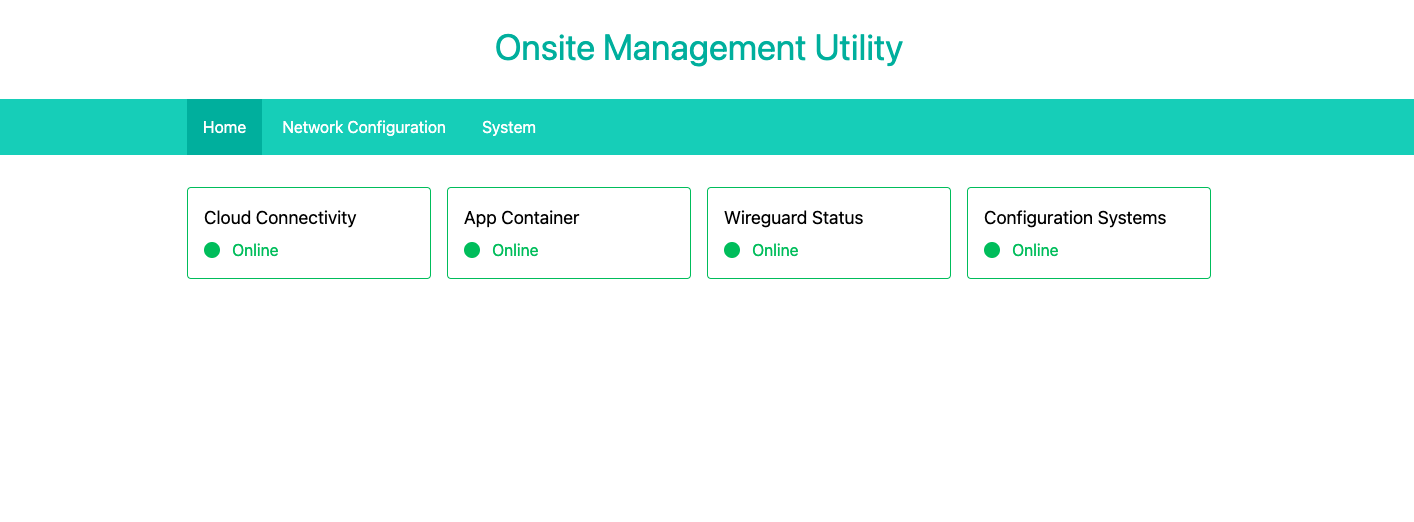
Once logged in you will be presented with an initial dashboard showing the status of various systems and services, along with a menu to access other functions.
If an item is highlighted in green as shown below it means this is normal operation. Some services only need to run at certain times or in certain conditions (such as during maintenance), so normal operation may be for them to be offline. If there is an error or something is abnormal, this will be marked with red highlighting with a red border. If its all green, its all good.
While maintenance actions are running some services may show as offline. For example, "App Containers" will show as offline during a container rebuild operation. This is normal and will correct once the operation is complete and the containers are started.